WhatsApp Business Calling API: Pricing, use cases & FAQs
Speed wins in sales. Skip the back-and-forth over chat — handle objections, build trust and close the deal with a single WhatsApp call on respond.io.
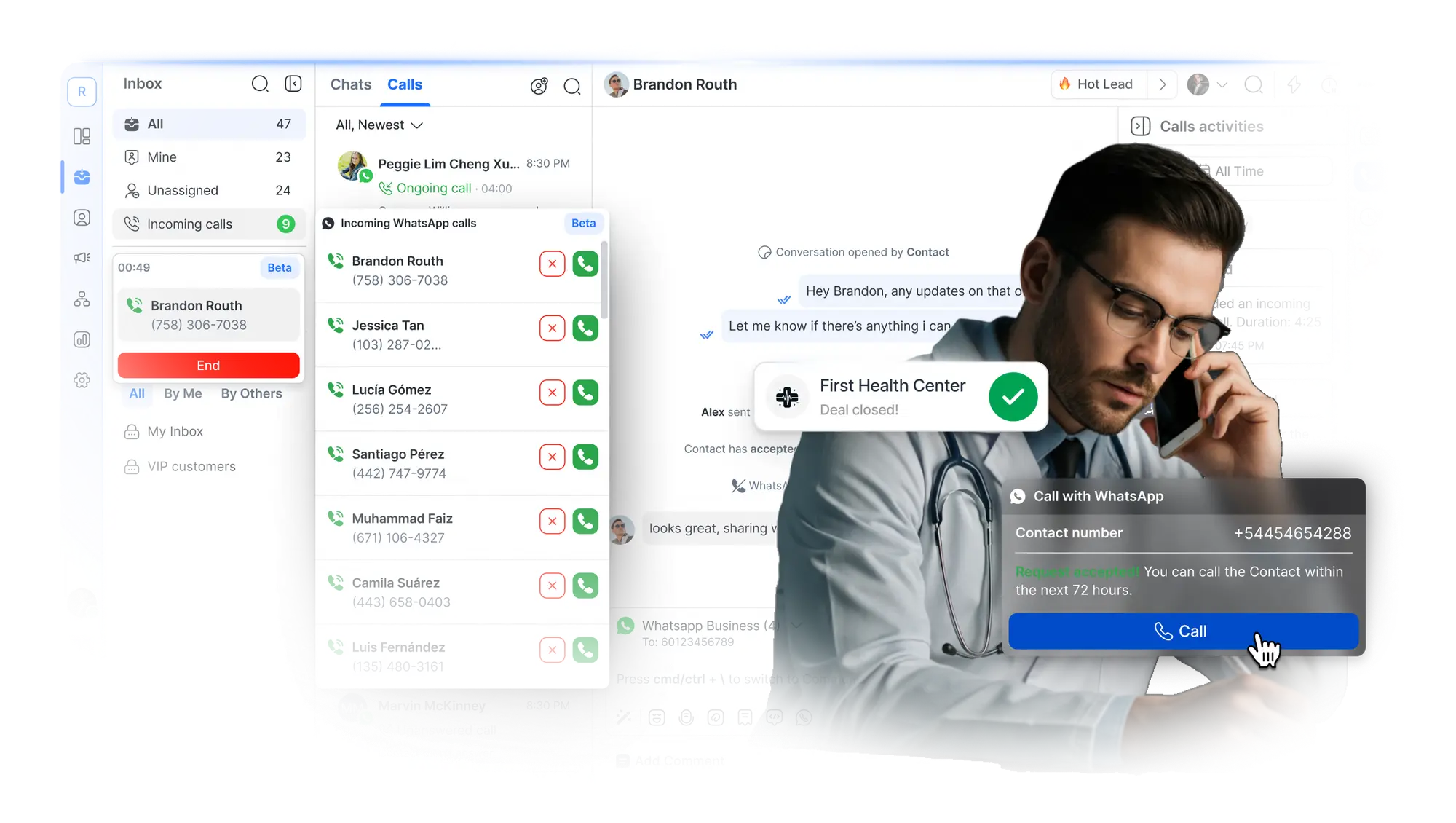
What is WhatsApp Business Calling API?
Meta’s WhatsApp Business Calling API brings long-awaited Voice over Internet Protocol (VoIP) calling to the WhatsApp Business Platform, also known as WhatsApp API.
With WhatsApp Business Calling API, available in most countries where WhatsApp Business Platform is supported, you can chat, call and scale – all without missing a beat.
Respond.io is among the first to support this new feature:
- Enable it instantly with a toggle — no setup fees required
- Integrate WhatsApp calls and chat with your CRM, automation and AI
- Switch between calls and chats in one thread without losing context
- Boost credibility in calls with your WhatsApp Business profile and green tick
WhatsApp Business Calling pricing and permissions
Before you hit dial, here’s what you need to know about how it works and what it costs to call
🏢
Business-initiated calls
Businesses must request permission during an active conversation. One request is allowed every 24 hours, with a maximum of two in seven days. If approved, the call must happen within 72 hours.
👨🏻💼
User-initiated calls
Customers can call you directly by tapping a WhatsApp call button or link. Share these in chats with a phone menu, so they can reach the right team with just a click.
💰
How much it costs
Incoming calls are completely free. Outgoing calls are billed per minute, with rates depending on the destination region. Respond.io does not charge any setup fees or additional costs for using this feature.
How much does WhatsApp Business Calling API cost?
🎉 All incoming (user-initiated) calls are free! You’re only charged for outgoing calls.
Use this calculator to estimate your WhatsApp Business Calling API costs. Just select a country and drag the slider to see your projected monthly calling spend.
- Call duration: Charged in 6-second increments, rounded up
- Recipient’s country code: Determines the rate
- Monthly volume: The more calls you make to a specific country, the lower your rate. Tiers reset every month.
Rates are set by Meta and may change. For the most up-to-date pricing, refer to their official pricing page.
Solution provider fees
Many BSPs add hidden costs like WhatsApp setup fees, hosting charges or markups on calling. Respond.io doesn’t impose additional WhatsApp fees; pay only what Meta charges you.
Try our WhatsApp API message pricing calculator for messaging costs.
⚠️ Calls are not supported in the following countries. Based on Meta’s current restrictions and subject to change.
Call type
WhatsApp Business Calls restricted
User‑initiated (Incoming)
Business‑initiated (Outgoing)
🇨🇺 Cuba
🇮🇷 Iran
🇰🇵 North Korea
🇸🇾 Syria
🇺🇦 Ukraine (Crimea, Donetsk, Luhansk)
Includes all the above plus
🇺🇸 USA
🇨🇦 Canada
🇹🇷 Turkey
🇪🇬 Egypt
🇻🇳 Vietnam
🇳🇬 Nigeria
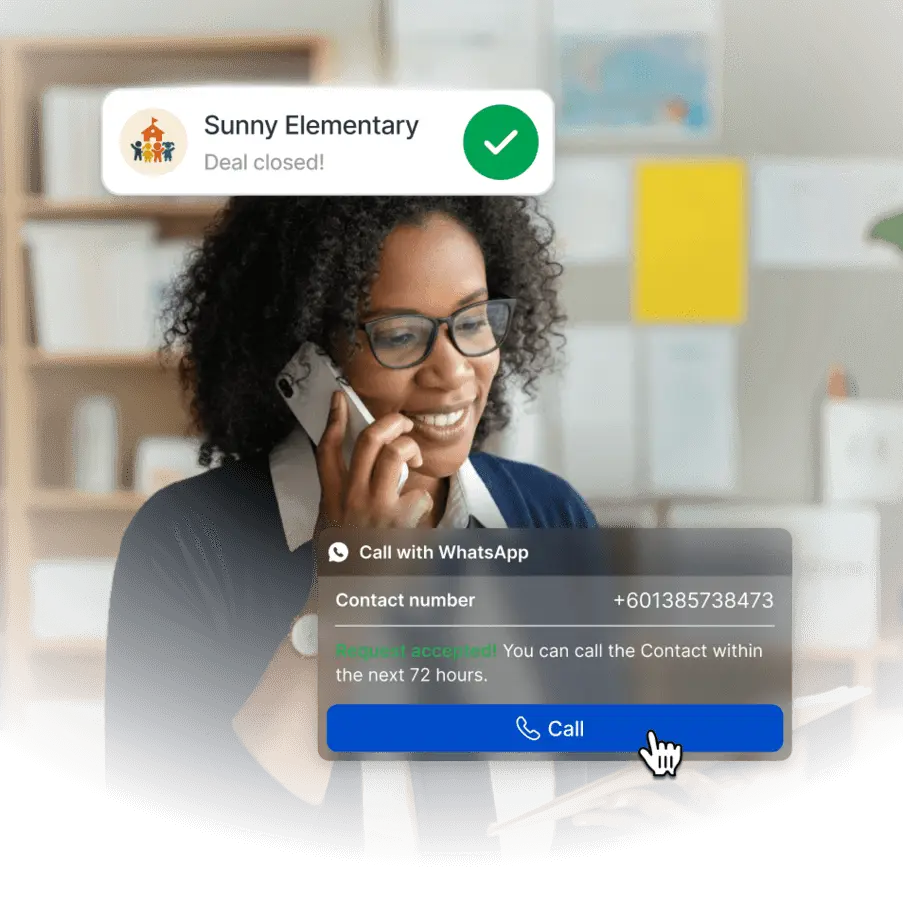
Ring in success: Top use cases for WhatsApp Business Calling API
From hospitality and healthcare to real estate and education, a call can make the difference between high intent and lost interest.
- Close high-value deals faster with a personal touch
- Use voice to build trust and handle objections instantly
- Resolve complex issues with speed and clarity in real-time
- Confirm bookings or deliveries in seconds, not threads
Make the right call with respond.io
Tired of losing deals to competitors? Respond.io helps you chat faster, serve better and close more—all from one place.
One call > a thousand words
Replace multiple messages with a single voice call. It’s fast, clear and cost-effective

Speed sells
Voice calls accelerate follow-ups and decision-making, turning conversations into conversions faster
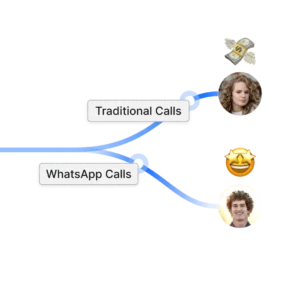
Cut the cord
WhatsApp Business Calling API replaces traditional phone systems with a leaner, cheaper way to talk to customers
More users, same platform
WhatsApp Business Calling API makes it easy to expand your team. No regulatory obstacles or buying new phones when adding new users
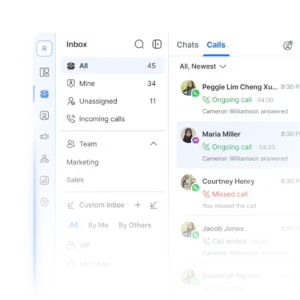
Your WhatsApp CRM
Sync natively with Salesforce, Hubspot or Google Sheets and more for instant customer data

Work from anywhere
Stay responsive on the go with WhatsApp Business Calling API on the respond.io mobile app
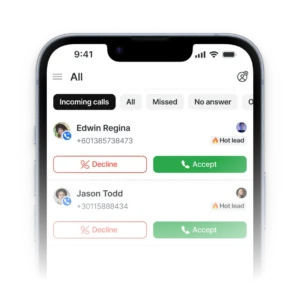
Omnichannel team inbox
No more switching between apps to chat. Unify contacts and conversations from voice calls, email, WhatsApp, TikTok, Facebook Messenger, Instagram and more

Customer lifecycle management
Prioritize high-intent leads, design customer journeys for each lifecycle stage or identify common drop-off points with analytics

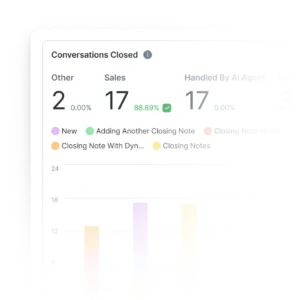
Data-driven insights
Track broadcast performance, channel popularity, response times and more. Then, optimize campaigns to improve results and drive revenue
Frequently asked questions
What is WhatsApp Business Calling API?
The WhatsApp Business Calling API is a Meta feature that allows companies using the WhatsApp Business Platform (API) to make and receive voice calls directly on WhatsApp. It extends messaging by enabling real-time VoIP conversations.
Businesses can manage calls and messages together through integrated inboxes, CRMs and automation tools. On respond.io, teams can talk to customers, track call activity and switch between messages and calls within one interface.
How is WhatsApp Business Calling API different from regular WhatsApp voice calls?
Personal WhatsApp accounts have always supported free voice calls. WhatsApp Business API accounts did not allow calling until Meta introduced the WhatsApp Business Calling API.
Incoming calls remain free for both the business and the customer. Calls made through the API are billed per minute for outbound calls, with rates that vary by destination. Unlike personal calls, API-based calls are integrated with business tools so teams can share access, automate tasks and manage conversations professionally within solutions like respond.io.
How do I activate WhatsApp Calling on respond.io?
Enabling WhatsApp Calls on respond.io takes less effort than you might expect.
Click on Settings > Channels > Select your WhatsApp Business account > Select WhatsApp Calls.
Turn on the Enable WhatsApp Call toggle to allow your team to make and receive calls.
Turn on the Allow contacts to call you toggle to show customers the call icon and allow them to call you anytime. Once activated, calls appear in the respond.io inbox with full access to chat history and contact details.
Who can I call using the WhatsApp Business Calling API?
You can call any WhatsApp user who has granted permission, provided you are in a region where business-initiated or user-initiated calls are supported via the WhatsApp Business Calling API. That said, a call request can only be sent inside an active conversation window such as a marketing, service, authentication or free entry point chat.
Customers are never charged for calls made by a business. Calls must be placed from a verified WhatsApp Business account to a WhatsApp user. The API does not support calling people who are not on WhatsApp. If you need to reach customers who aren’t on WhatsApp, you can use a platform like respond.io that supports VoIP calls. This lets your team handle regular phone calls and WhatsApp conversations together in the same shared inbox.
Can I call customers any time I like? How does call permission work?
To protect users’ privacy, Meta requires businesses to request permission before calling a customer. A call permission request can only be sent during active conversations, when an existing marketing, utility, authentication, service or free entry point conversation is open.
Meta restricts businesses to one call request per day, and up to two in 7 days. Once approved, you have 72 hours to initiate the call. The 7-day limit resets once a call successfully connects.
How can I get customers to call me?
On respond.io, businesses can let customers call them by enabling Allow contacts to call you in their WhatsApp channel settings. Once activated, a call icon appears in the chat so customers can start a call directly from WhatsApp.
Respond.io also lets businesses share a deep link or call button that connects customers instantly from websites, emails or ads. This feature helps teams attract inbound calls, stay reachable on WhatsApp and manage every voice and chat interaction in the same shared inbox.
Can I use WhatsApp Business Calling API to call regular phone numbers?
No. The WhatsApp Business Calling API cannot dial public telephone numbers. It only supports calls between a verified WhatsApp Business account and a WhatsApp user.
If you need to reach non-WhatsApp numbers, use a phone system or a VoIP provider. For WhatsApp conversations, keep calls inside the app to preserve context, maintain compliance, and keep chat and call history in one thread on respond.io. This limitation ensures clear consent and consistent identity for both parties.
Will I keep my current WhatsApp number and profile when using the WhatsApp Calling API?
Yes, there are usage fees. Incoming calls are free but Meta charges businesses per minute for outbound calls, with rates that vary by destination country.
Some WhatsApp Business Solution Providers may add markups, setup fees or hosting fees on top of Meta’s call rates. Respond.io does not. You only pay Meta’s standard call rates when using WhatsApp Business Calling. This makes it a cost-effective alternative to traditional phone lines or separate VoIP tools. Calculate your estimated calling costs with our WhatsApp Call calculator.
Can my whole team use WhatsApp Calling?
Yes. Respond.io supports multiple users with a shared omnichannel team inbox, CRM integrations, AI and automation. Your team can switch between WhatsApp chats and calls effortlessly, with full access to chat history, customer profiles, notes and past interactions right inside the respond.io inbox. In addition to this, you’ll also be able to access detailed reports and analytics to pinpoint areas of improvement and make data-driven decisions.
Are there any setup or usage fees for WhatsApp Business Calling API?
Yes, there are usage fees. Incoming calls are free but Meta charges businesses per minute for outbound calls, with rates that vary by destination country.
Some WhatsApp Business Solution Providers may add markups, setup fees or hosting fees on top of Meta’s call rates. Respond.io does not. You only pay Meta’s standard call rates when using WhatsApp Business Calling. This makes it a cost-effective alternative to traditional phone lines or separate VoIP tools. Calculate your estimated calling costs with our WhatsApp Call calculator.
Why should I use WhatsApp Calling instead of phone or traditional VoIP systems?
WhatsApp Business Calling API is a VoIP. It reduces call costs because calls are transmitted over the internet instead of traditional phone networks, eliminating long-distance or carrier charges. With solutions like respond.io, you only pay Meta’s call charges with no extra markups or fees imposed. Teams also no longer need to switch tools or lose context between channels. On respond.io, voice and messaging share the same automation, AI Agents and CRM integrations, creating a single place to manage all customer conversations with full context.
Are international calls supported on WhatsApp Business Calling API?
Yes. Businesses can make international calls through the WhatsApp Business Calling API to any country where WhatsApp Calling is permitted. The API delivers clear audio and reliable performance over Meta’s VoIP infrastructure, making it a cost-effective way to reach global customers compared to traditional phone networks. Use a solution designed for stability especially under high usage, such as respond.io, for reliable communication.
Note that calls cannot be made to or from regions where WhatsApp Calling is restricted by government or carrier policy, including certain Middle Eastern and sanctioned territories.
Are video calls supported by the WhatsApp API Call?
At the moment, the WhatsApp Business Calling API supports voice calls only. Video calls are not yet available for business accounts. Meta plans to expand the API over time, so video support may be added in future updates. Businesses can check Meta’s documentation for the latest feature releases.
Can you exchange images and videos during a voice call?
Yes you can, on respond.io. During a voice call on WhatsApp Business Calling API, users can send photos, videos, files or links through the chat interface. This helps businesses provide visuals or documents in real time without ending the call. All shared media stays in the same chat thread, giving teams a complete record of each interaction.
Can WhatsApp calls be recorded?
The API does not include built-in call recording. Businesses that need recordings can use third-party solutions connected to their CRM or call management tools as long as they comply with local laws.
Customers must always be informed and give consent before any recording takes place. That said, call recording is a feature available on respond.io. When enabled, recorded calls are automatically saved in the call logs and can be downloaded or reviewed later. You can also access call transcripts under selected plans.
What if customers call me past operating hours?
If customers call when your team is offline, the call will not go through and will appear as a missed call in your call logs. You can set automated replies via respond.io to acknowledge missed calls, share your business hours and invite customers to leave a message or call back later.
Can small businesses benefit from WhatsApp API Voice Calling?
If you’re running a lean team with low chat volumes, the WhatsApp Business App may be all you need — it supports voice calls and is free to use.
But if you’re managing a high volume of conversations, the WhatsApp API is a smart upgrade. It lets you continue voice and chat seamlessly, scale your team and unlock powerful tools from your conversation management software.
Scaling medium to large businesses use respond.io for its omnichannel team inbox that supports calls and chats, integrations with CRMs and other software, automation and AI Agents, WhatsApp broadcasts, click to WhatsApp ads, detailed analytics and more.
Can I view transcripts of WhatsApp API calls?
Yes, you can. Although the WhatsApp Business Calling API does not generate transcripts by default, respond.io automatically transcribes recorded WhatsApp calls. The transcripts help teams review conversations, verify information and follow up accurately without replaying the full recording. However, note that this feature is only available on respond.io’s Growth plan and up.
Which regions support WhatsApp Business Calling API?
The availability of WhatsApp Business Calling depends on the type of call:
User-Initiated Calling (Incoming)
You can receive calls from customers in any country where the WhatsApp Business API is supported, except:
- Cuba
- Iran
- North Korea
- Syria
- Ukraine (Crimea, Donetsk, Luhansk)
These regions do not support incoming or outgoing calls.
Business-Initiated Calling (Outgoing)
You can initiate calls to customers in most supported countries. However, business-initiated calls are currently not allowed in the following locations:
- United States
- Canada
- Turkey
- Egypt
- Vietnam
- Nigeria
- Plus all regions listed above where user-initiated calls are not supported
This list is based on Meta’s current restrictions and may change. For the latest updates, refer to Meta’s documentation.
3x your business results with respond.io 🚀

Company
Compare
WhatsApp Guides
Security & Legal
- Privacy Policy
- Cookie Policy
- Terms of Service
- Our Subprocessors
- Data Protection Addendum
- Security